
Better-informed contract decisions
ExagiumContracts
Better judgment. Less waiting. Agreements that move.
Exagium Contracts connects guided intake, contract preparation, negotiation, Legal review, and obligations. Keep the language, evidence, decisions, and next steps together.
Early partnerships
- 01
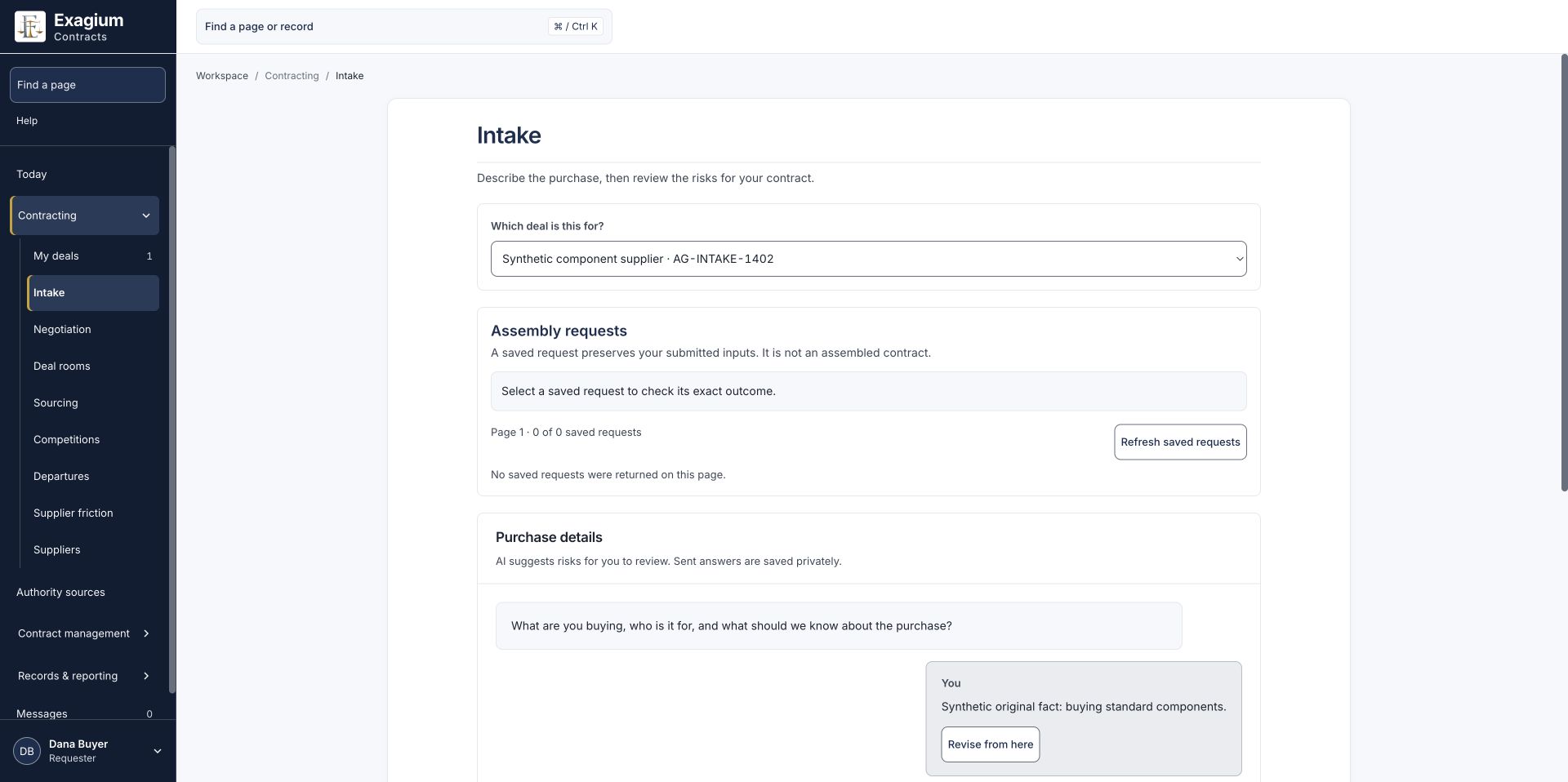
Describe the request
Capture the business need through guided intake. Review the proposed risks and confirm the facts that belong in scope.
- 02
Prepare the agreement
Record the parties and assemble from your library’s opening positions, with wording, versions, and sources preserved.
- 03
Negotiate in the Deal Room
Review received Word documents, track edits, inspect library alternatives, and keep each exchanged round connected.
- 04
Bring in Legal judgment
Give Legal a private space to examine evidence, record findings, review wording, and share advice deliberately.
- 05
Take the agreed copy to signing
Download reviewed, clean Word and PDF copies. Sign through your existing process and record the returned agreement.
- 06
Carry commitments into the work
Assign obligations, retain the decision history, and record the handover to the people responsible for what follows.
Start with the business need
Describe what you need to buy or agree. With AI assistance enabled, guided intake asks follow-up questions and offers examples informed by earlier answers. You review and edit the proposed risks before confirming what belongs in scope.
Record Buyer and Vendor particulars, then prepare the agreement from your library’s recorded opening positions. Keep the submitted facts and the language used for assembly connected to the resulting contract.
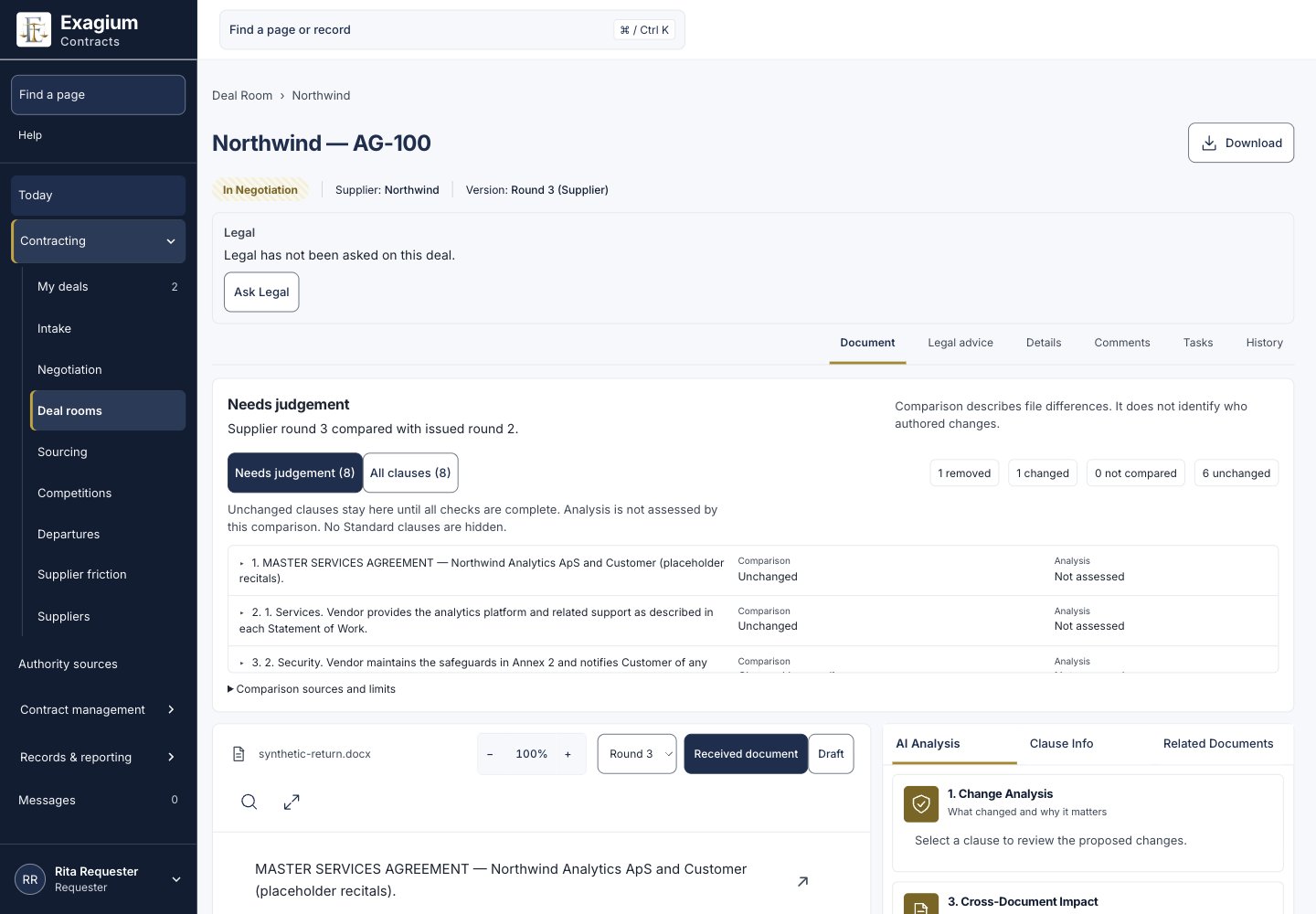
See what changed. Decide what happens next.
Bring received Word documents, tracked edits, comments, and exchanged rounds into the Deal Room. The Needs judgement view helps you inspect changed, added, or removed passages against a supported issued version, with comparison gaps made visible.
Comparison and assessment are separate: unchanged wording still needs the appropriate review. People can follow the original document, the proposed change, and the saved history as they prepare the next response.
Keep negotiating alternatives beside the terms
Inspect current library alternatives beside a selected passage, including their wording, source history, versions, and ordered negotiating positions. Use a recorded assembly topic or select the relevant topic yourself for received wording.
Published availability and named Legal approval are shown separately. A recorded negotiating floor does not grant permission to accept it. People choose the wording to propose and take new language through the appropriate review and approval.
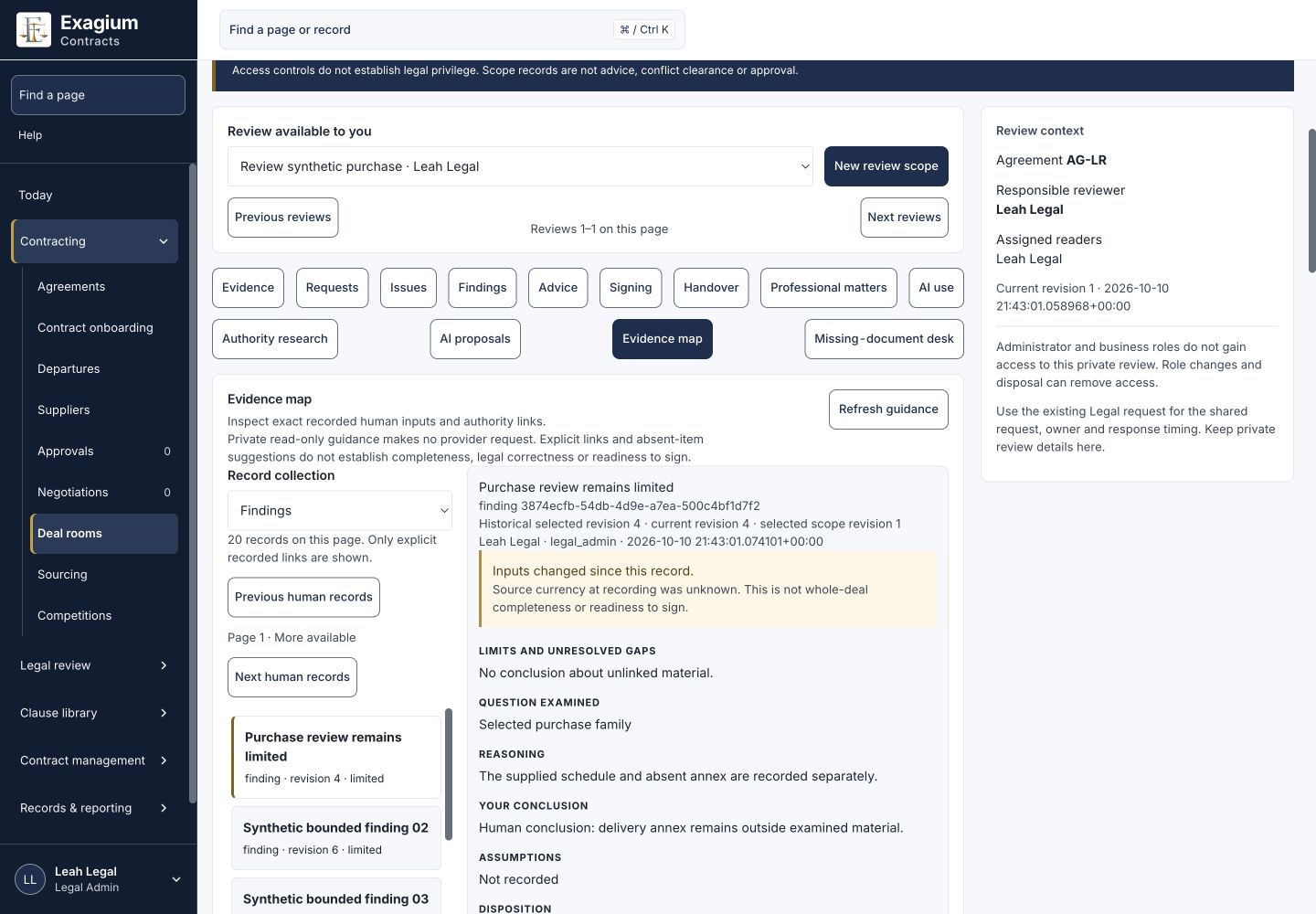
Give Legal room to examine the agreement
Assigned Legal reviewers can define a private review scope, collect and examine evidence, request missing documents, and record issues and human findings. Research records, drafting briefs, an evidence map, and a missing-document desk keep the work connected.
Legal deliberately releases advice to business recipients, who can record their responses. Human review and drafting can continue with AI off. Where enabled and qualified for the task, AI drafting is restricted to Legal; named Legal approval remains a separate act. Human authority research is available while AI law analysis remains unavailable pending qualification.
Put the next decision in the right hands
Configure the workflow around your team’s review steps, approvals, and responsibilities. Keep expert consultations and business approvals connected to the agreement, so each person has the context for their part of the decision.
AI assistance can help with business facts and document comparison. Legal research, drafting, and approval have their own controls. Your team remains responsible for the judgment and the next action.
Use your existing signing process
Download the reviewed agreement as clean Word and PDF copies for signing through your existing process or provider. Signing currently takes place outside Exagium Contracts.
Retain the returned original and record the execution details against the agreement. Legal can reconcile the exact outgoing and returned files as part of its signing review.
Keep the agreement useful after signature
Connect the recorded agreement to its obligations, owners, and decision history. Give the people responsible for delivery a handover they can review and accept, with the commitments and supporting records available for the work that follows.
Follow the decision trail
Trace the source of a clause, who approved it, and the negotiation history. Keep the agreement and its obligations connected to a record people can inspect.
Ask about an agreement
The contract Q&A preview uses a selected agreement and its related documents to ground factual answers. Follow quotations back to their sources and examine the stated conflicts, gaps, and limits.
See the bigger picture
Saved reports bring headline measures, eligible charts, and exact table values together. Drill into recorded contract groups and evidence, with the report’s scope, unknown values, and review status available.
Reporting and contract Q&A remain in development and subject to further accuracy and customer qualification. A demonstration can cover the current preview and your reporting needs. Source citations support review; your team evaluates the conclusions.